

When you feel sick or notice a strange symptom, where do you look first? Most people turn right to the internet to find answers. You might search for symptoms of diabetes, high blood pressure, or a persistent cough. Have you ever noticed something strange right after that search? Suddenly, every website you visit shows advertisements for blood glucose monitors or healthy diet plans.
How does that happen behind your computer screen? The answer lies in tiny digital files called cookies that live on almost every website you visit. Understanding how these cookies work helps you protect your personal health information and privacy online.
Digital literacy is an important part of modern healthcare. Knowing how your data moves across the internet empowers you to make safe choices. Let us explore what cookies are, why websites use them, and how you can manage your online privacy.
Key Takeaways
- Website cookies are small data files stored on your computer or phone when you browse the internet.
- Health websites use cookies to remember your preferences, improve site performance, and analyze visitor traffic.
- Cookies enable personalized advertising by tracking your browsing habits and symptoms you look up online.
- You have complete control over your privacy through your browser and mobile device settings.
- Internet health searches are helpful for education, but they never replace a real visit to your doctor.
BMI Calculator
Know your body mass index (BMI) and weight classification
What Are Cookies?
When you hear the word cookie, you probably think of a sweet baked treat. Digital cookies are entirely different and have nothing to do with food. Simply put, they are very small text files that a website sends to your device when you visit.
These files save information locally on your computer, tablet, or smartphone. Think about visiting your favorite local coffee shop every single morning. The barista recognizes you right away and remembers your favorite drink order without you having to repeat it.
Website cookies work in a similar way for your browser. They allow a website to recognize you when you return. The site remembers that you visited before and recalls your specific choices.
There are three main types of cookies that you encounter every day:
- Session Cookies: These are temporary files that only stay active while you browse. Once you close your browser or leave the website, session cookies disappear automatically.
- Persistent Cookies: These files stay on your device for a longer period of time. They remember your preferences when you return to a website weeks later. You can delete these files manually whenever you choose.
- Third-Party Cookies: These cookies do not come from the main website you are visiting. Instead, they come from outside advertisers or partner companies linked to that page.
Understanding these categories helps you see how your digital footprint grows. Every time you browse a new page, cookies record small pieces of your journey.
Why Do Websites Use Cookies?
Websites, especially health and medical education platforms, use cookies for several important reasons. These files help make your online experience smoother, faster, and much more useful.
Without cookies, many modern websites would not function correctly. You would have to log in repeatedly and reset your preferences on every single page.
| Cookie Purpose | Simple Explanation |
|---|---|
| Strictly Necessary | These cookies are required for the website to work properly. For example, when you log into your patient portal, they keep you signed in securely as you move between pages. |
| Important Functionality | These save your personal choices to make your visit easier. They remember your preferred language, text size, or username so you do not have to type them again. |
| Performance and Analytics | These show website creators how visitors use their pages. They track which medical articles are most popular so the team can improve health education content. |
| Advertising | These track your browsing habits across different sites. They show you commercial advertisements that match the health topics or products you recently searched for. |
How Cookies Affect Online Advertising
Imagine reading several articles about managing diabetes on a trusted health website. Cookies make a note of this reading activity in the background. Later that day, you might see advertisements for blood glucose monitors, fitness trackers, or healthy cookbooks.
Advertisers do this to show you products that match your current interests. This practice is known as personalized advertising. Companies believe you prefer seeing ads relevant to your life rather than random items.
It is very important to know what cookies do not collect. Cookies do not steal your full name, home address, or phone number unless you type those details into a form. Instead, they focus purely on your browsing patterns and device numbers.
Cookies track your digital journey and reading habits, but they do not automatically know your private medical records or identity.
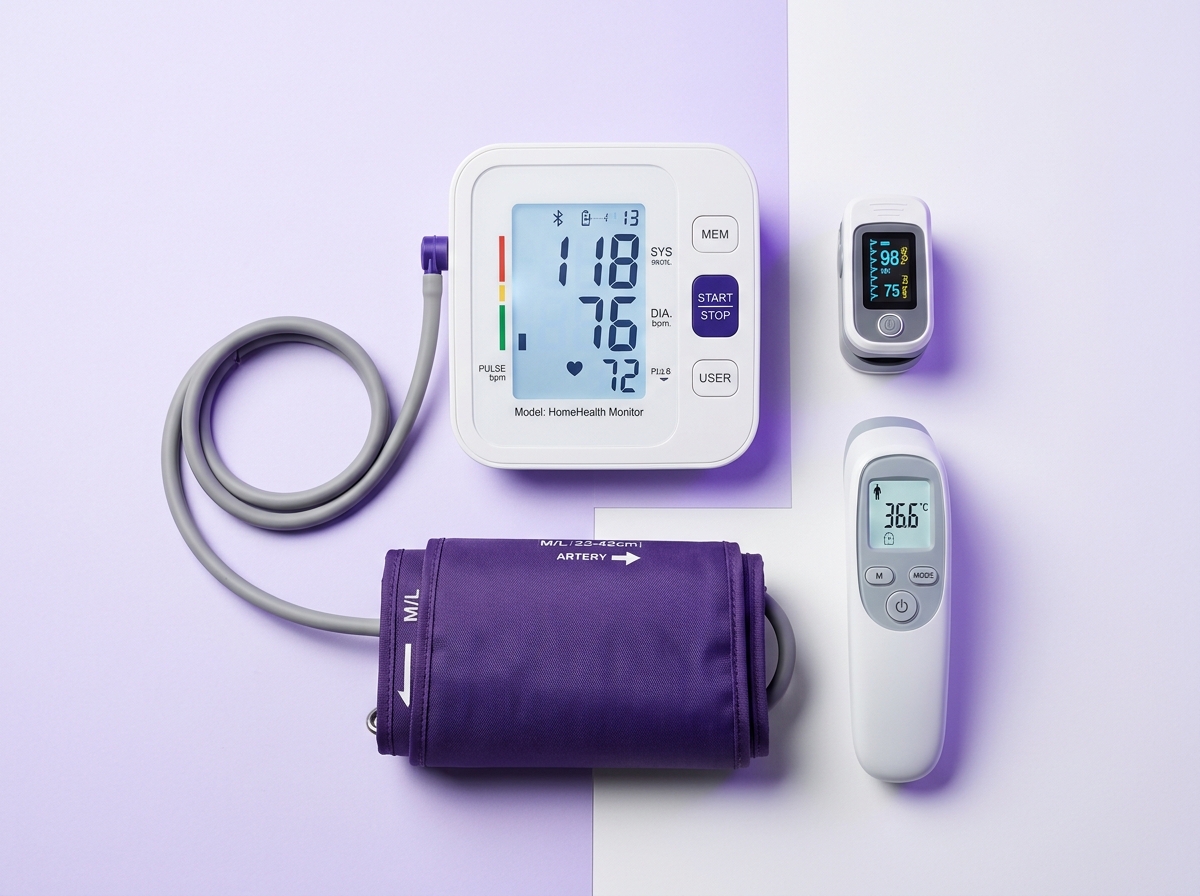
Medical test equipment that can be used at home
Essential home medical devices including blood pressure monitors, oximeters and digital thermometers.
Check Availability →How to Keep Control Over Your Privacy
You have full power over your digital privacy. You do not have to accept every cookie that a website tries to place on your device. Several simple methods allow you to manage and block unwanted tracking.
Taking charge of your online settings gives you peace of mind while researching health concerns. Here are the most effective ways to protect your personal information.
1. Adjust Your Browser Settings
Every web browser has built-in privacy controls. Whether you use Google Chrome, Mozilla Firefox, Apple Safari, or Microsoft Edge, you can change your cookie preferences easily.
Open your browser menu and look for privacy or security settings. From there, you can choose to:
- Block all third-party cookies automatically.
- Set your browser to ask for permission every time a cookie tries to load.
- Clear existing cookies from your device history with a single click.
Keep one important detail in mind. If you block all cookies completely, some websites may stop working correctly. You might experience trouble logging into secure portals or saving your preferences.
2. Use Industry Opt-Out Tools
Many websites feature a small icon or link in the corner, often called AdChoices. Clicking this icon shows you which companies deliver advertisements to your screen.
These tools let you turn off personalized advertising from participating companies. You can stop tailored tracking without breaking the basic functions of the websites you visit.
3. Manage Your Mobile Phone Settings
Smartphones also include privacy settings that limit how apps and mobile browsers track your activity.
- iOS (Apple Devices): Go to Settings, tap Privacy, and select Tracking. You can turn off permission for apps to track your activity across other companies' apps and websites.
- Android Devices: Go to Settings, select Google, tap Ads, and choose the option to opt out of ad personalization.
Using these settings will not stop advertisements from appearing entirely. However, it will stop companies from building a detailed profile based on your private health searches.
When to Seek Emergency Medical Attention
While browsing health websites is common, certain symptoms require immediate emergency evaluation. Call 911 (US/Canada), 999 (UK), or go to your nearest Emergency Department (ER or A&E) right away if you experience:
- Sudden chest pain, pressure, or discomfort spreading to your arm or jaw.
- Severe shortness of breath or sudden difficulty breathing.
- Sudden weakness, numbness, or paralysis on one side of your face or body.
- Sudden confusion, trouble speaking, or sudden severe headache with no known cause.
- Uncontrollable bleeding, severe allergic reactions, or major physical trauma.
💡 Take-Home Message
Navigating the internet to learn about health is a wonderful tool for your well-being. However, staying informed about your digital footprint is equally essential.
Here are the key points to remember about website cookies:
- Cookies are small data files stored on your device when you browse websites.
- They help websites run smoothly, remember your settings, and deliver relevant advertisements.
- Health websites use cookies to understand visitor interests and improve educational content.
- You can manage or block cookies easily through your browser and mobile phone settings.
- Protecting your digital privacy ensures your online research remains secure and private.
- Internet articles provide great information, but they never replace professional advice from your doctor.


No comments yet. Be the first to share your question or experience below.